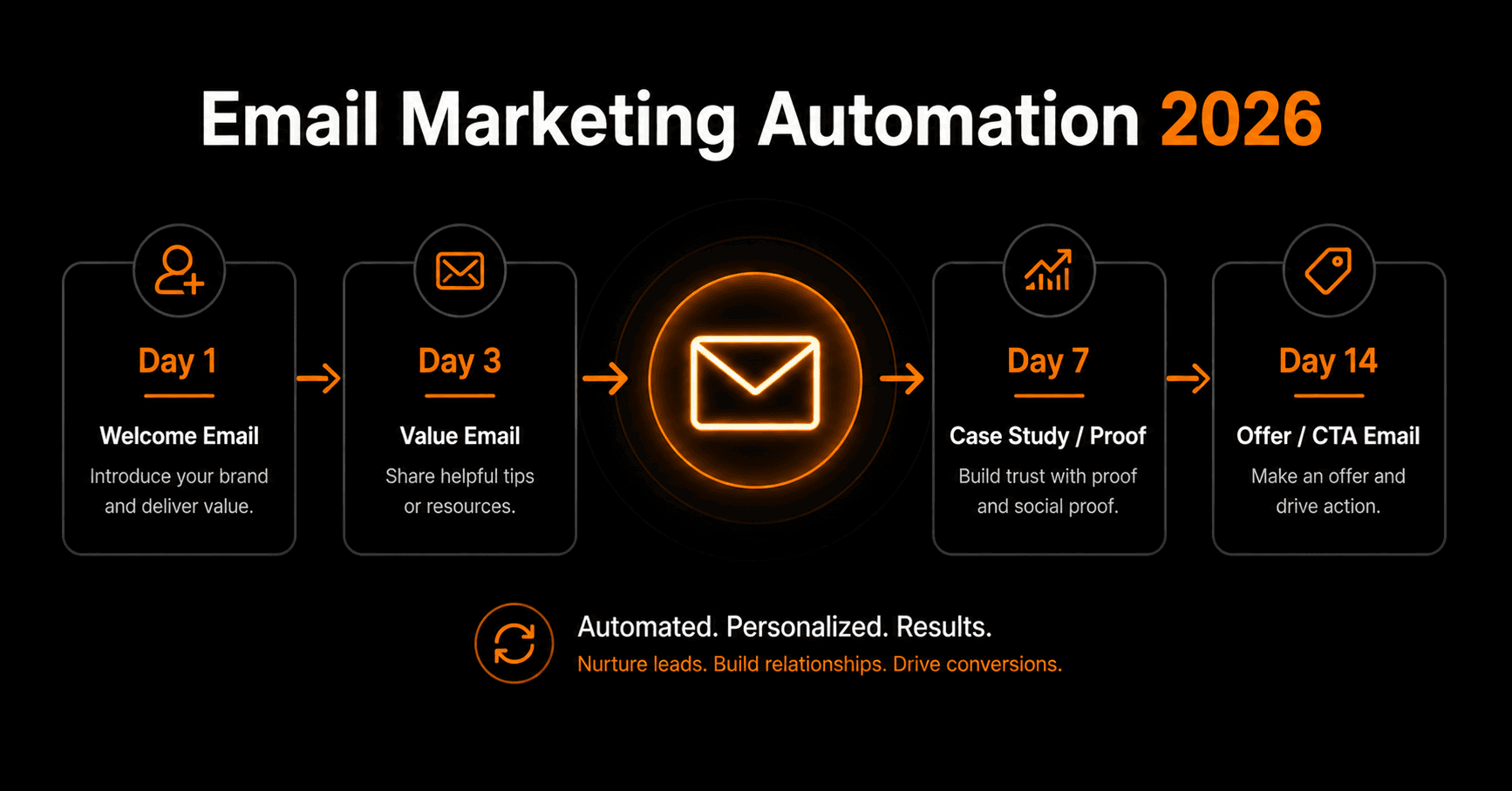
Email is still the highest-ROI marketing channel — $36 back for every $1 spent on average. But most businesses are leaving most of that return on the table by sending emails manually, one campaign at a time. Automation changes the math entirely.
What email marketing automation actually is
Email marketing automation means sending the right email to the right person at the right time — automatically, based on what they did or didn't do. Not a newsletter blast to your whole list. A targeted sequence triggered by behaviour.
Someone signs up → welcome sequence starts. Someone clicks a pricing link → sales follow-up fires. Someone goes quiet for 30 days → re-engagement email goes out. All of this happens without you touching a keyboard.
The 6 sequences every business needs
1. Welcome sequence (trigger: new subscriber)
The most important sequence you'll build. New subscribers have their highest engagement in the first 48 hours — open rates 4× higher than average. A 3–5 email welcome sequence should: introduce your brand and story, deliver your lead magnet or promised value, set expectations for what they'll receive, and make a soft offer.
Timing: Email 1 immediately. Email 2 at day 2. Email 3 at day 4. Email 4 at day 7.
2. Lead nurture sequence (trigger: lead magnet downloaded)
Someone downloaded your free guide or checklist. They're interested but not ready to buy. A nurture sequence keeps you top of mind and builds trust over 2–4 weeks. Each email delivers one useful insight related to the problem your product solves. No hard selling until the final email.
3. Abandoned cart / trial sequence (trigger: checkout started or trial signup)
For e-commerce: send 3 emails over 3 days — reminder, social proof, discount. For SaaS: send onboarding tips on days 1, 3, 7, then a “what's blocking you?” email at day 14 if they haven't activated key features.
Abandoned cart sequences recover 5–15% of lost revenue with minimal effort. It's one of the highest-return automations you can build.
4. Post-purchase sequence (trigger: order completed)
The purchase is not the end of the relationship — it's the beginning. A post-purchase sequence confirms the order, sets expectations, provides tips for getting value from the product, asks for a review at day 7, and introduces related products at day 14.
5. Re-engagement sequence (trigger: 60 days inactive)
Subscribers who haven't opened in 60 days are dragging down your deliverability. Send 3 emails over 2 weeks: a “we miss you” email, a best-of content roundup, and a final “should we remove you?” email. Anyone who doesn't engage gets unsubscribed automatically. This keeps your list clean and your sender reputation healthy.
6. Upsell sequence (trigger: purchase of entry product)
After someone buys your lowest-tier product or plan, a timed sequence introduces higher-value options. Wait 14–30 days for them to experience the product, then send 2–3 emails showing what they're missing on the higher plan or what the next product would do for them.
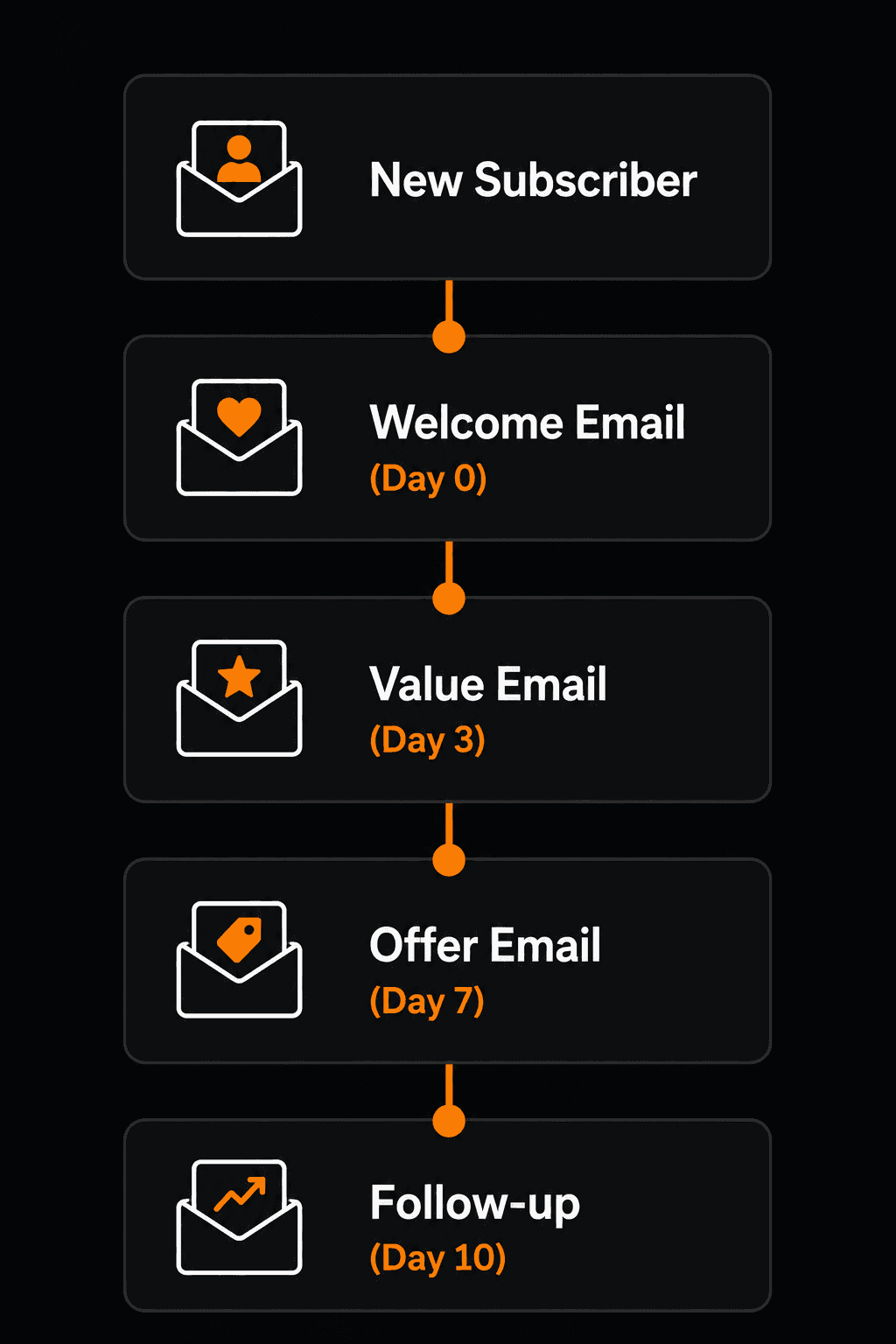
A basic nurture sequence — each email timed automatically from the trigger event.
Segmentation — the multiplier
The same email sent to your whole list gets a 20% open rate. The same email sent only to the segment it's relevant to gets 40–50%. Segmentation is what separates decent email automation from great email automation.
Segment by: source (how they joined your list), behaviour (what they clicked or didn't click), purchase history (what they bought), engagement level (how often they open), and stage (new lead vs active customer vs lapsed customer).
In practice: build your sequences for each segment separately. A new subscriber from a paid ad gets a different welcome sequence than someone who joined via a referral link. A customer who bought your $9 product gets a different upsell sequence than a customer who bought your $99 product.
Setting up email automation on Vendarwon Flow
- Connect your email platform. Vendarwon Flow integrates with Mailchimp, ConvertKit, ActiveCampaign, Klaviyo, and Beehiiv. Connect your platform in the Integrations tab.
- Set up your trigger. New subscriber added to list, tag applied, purchase completed, form submitted — choose what starts the sequence.
- Describe the sequence. Type: “When someone subscribes to my list, wait 0 minutes then send the welcome email, wait 2 days then send the value email, wait 4 days then send the case study email, wait 7 days then send the offer email.”
- Connect your conditions. Add branches — if they click the pricing link in email 3, skip email 4 and fire the sales sequence instead.
- Activate and monitor. Check open rates and click rates after the first 50 sends and adjust subject lines or timing as needed.
What good metrics look like in 2026
- Open rate: 35–50% for welcome emails, 20–30% for nurture, 15–25% for promotional
- Click rate: 3–8% for nurture sequences, 1–3% for promotional
- Unsubscribe rate: under 0.5% per email — above this means wrong audience or wrong frequency
- Conversion rate: 1–5% for offer emails to warm lists
If your numbers are below these benchmarks, the problem is usually one of three things: wrong segment receiving the email, email sent too soon in the sequence, or the subject line isn't connecting with the audience. Fix one at a time.
Frequently asked questions
How many emails should be in a sequence?
Welcome sequences work best at 3–5 emails. Nurture sequences at 4–8 emails over 3–4 weeks. Anything longer sees sharp drop-offs in engagement unless the content is exceptionally valuable.
What's the best time to send automated emails?
For B2B: Tuesday–Thursday, 9–11am in the recipient's timezone. For B2C: weekday evenings or Saturday morning. Most platforms let you send at the recipient's local time — always use this feature.
Should I use plain text or HTML emails?
For nurture and relationship sequences: plain text or minimal HTML. It feels personal and gets higher deliverability. For promotional campaigns and product announcements: designed HTML. Match the format to the intent.
How do I avoid the spam folder?
Authenticate your domain (SPF, DKIM, DMARC), send only to engaged subscribers, keep your list clean by unsubscribing inactives, and never use spam trigger words in subject lines. High engagement rates are the best spam filter insurance.