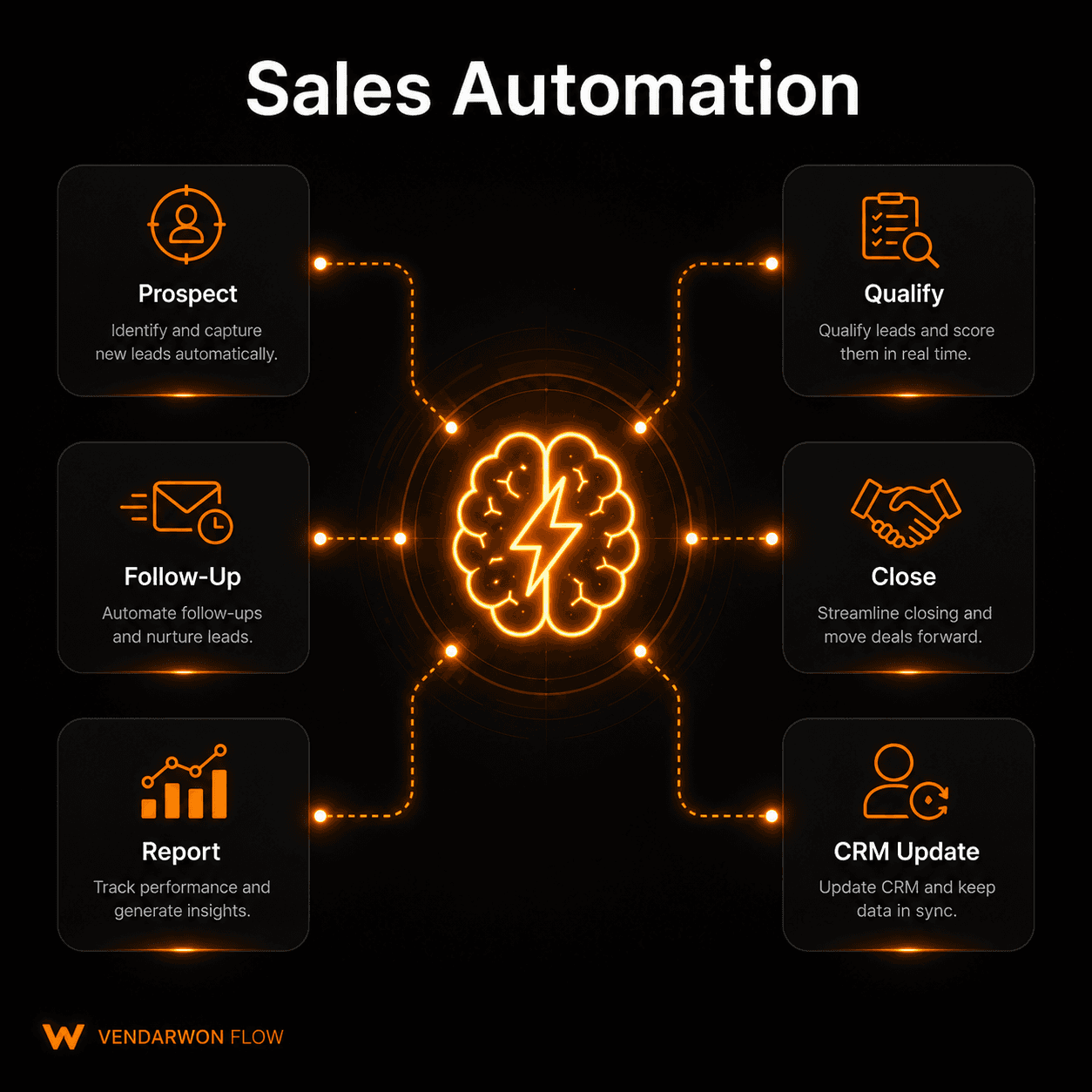
Sales automation is one of the highest-ROI investments any sales team can make. The average sales rep spends less than 37% of their time actually selling — the rest goes to data entry, follow-up scheduling, CRM updates, and email tasks that a well-built workflow handles in milliseconds. This guide covers everything you need to know about sales automation in 2026: what it is, how it differs from a CRM, which tasks to automate first, and how to get started today.
What is sales automation?
Sales automation is the use of software to handle repetitive sales tasks automatically — without requiring a human to trigger or complete them. It covers the entire sales lifecycle: capturing leads, qualifying them, sending follow-ups, updating your CRM, routing prospects to the right rep, generating proposals, and tracking results.
The goal is simple: let your sales team spend more time on conversations and less time on administration. A well-automated sales operation can handle the same volume of leads with half the manual effort — or double the volume with the same team size.
Sales automation vs CRM — what's the difference?
A CRM (Customer Relationship Management tool) is a database. It stores contact information, deal stages, activity history, and notes. A CRM on its own is passive — data only appears in it when someone manually enters it.
Sales automation is what makes the CRM work automatically. Instead of a rep manually creating a contact after a call, automation creates the contact the moment a form is submitted. Instead of a manager reminding reps to follow up, automation sends the follow-up email at the right time without anyone lifting a finger.
Put simply: the CRM is the brain that stores your sales data. Automation is the nervous system that keeps it updated and fires the right actions at the right time.
The 6 key components of sales automation
1. Lead capture
Every inbound lead — form submissions, email inquiries, chatbot conversations, ad clicks — is automatically captured and routed to your CRM or lead list. No manual copy-paste, no missed contacts.
2. Lead qualification
AI evaluates each lead against your ideal customer profile and assigns a score. Hot leads (score >7) go straight to sales. Warm leads (4–7) enter a nurture sequence. Cold leads (<4) are deprioritized. This happens in seconds, at any volume.
3. Outreach and follow-up
Automated email sequences reach prospects at the right time, with messages personalized to their profile and behavior. No lead falls through the cracks because a rep forgot to follow up.
4. CRM sync
Every touchpoint — email opens, replies, calls, meetings, deal stage changes — is logged to the CRM automatically. Reps always have a complete picture without spending time on data entry.
5. Pipeline reporting
Weekly pipeline reports, deal velocity metrics, and conversion rates are generated and distributed automatically. Managers get the data they need without chasing it from spreadsheets.
6. Alerts and routing
When a hot lead fills out a form, replies to an email, or visits your pricing page, the right rep gets an instant Slack notification with all the context they need to respond quickly.
Top sales automation use cases
The highest-value applications of sales automation in 2026:
- New contact created in CRM the moment a form is submitted
- AI scores leads and routes hot prospects to senior reps instantly
- Three-touch follow-up sequence sent automatically after no response
- Deal stage changes trigger internal Slack alerts to the team
- Won deal triggers invoice creation and client onboarding sequence
- Lost deal triggers a 30-day re-engagement nurture sequence
- Meeting booked confirms the calendar event and updates the CRM deal
- Proposal sent automatically logs the activity and sets a follow-up reminder
- Email opened by a prospect triggers a same-day follow-up call reminder
- Weekly pipeline report emailed to the sales manager every Friday at 8am
Which tasks should you automate first?
Start with the tasks that happen most frequently and require the least human judgment. The best first automation candidates are:
- Lead capture and CRM entry — zero judgment required, happens dozens of times a day
- Follow-up email sequences — templated, time-sensitive, frequently missed
- Internal deal alerts — a Slack notification when a deal moves stages takes 10 minutes to build
- Meeting confirmation and CRM update — triggered by calendar, no manual steps needed
- Lead scoring — AI handles this better than manual review anyway
Save the complex workflows — custom proposal generation, multi-rep routing logic, deep personalization — for after you have the basics running. Quick wins build confidence and prove ROI before you invest in sophisticated automation.
How Vendarwon Flow handles sales automation
Vendarwon Flow was designed for exactly this kind of use case. You describe your sales workflow in plain English — “When a new lead fills out a form, score them with AI, if the score is above 7 send an alert to my sales Slack channel and create a deal in HubSpot, otherwise start a 3-email nurture sequence” — and the AI builds the entire workflow automatically.
With 42+ native integrations covering HubSpot, Pipedrive, Close CRM, Gmail, Slack, Notion, Google Sheets, and more, Vendarwon Flow connects every part of your sales stack without requiring API expertise or developer time.
The visual workflow editor shows every step as connected nodes — you can see the full logic at a glance and modify any part without rebuilding from scratch. Condition branches, delay nodes, AI scoring nodes, and human approval steps are all supported out of the box.
Getting started: a 4-step guide
- Audit your manual tasks. Spend 30 minutes listing every repetitive task your sales team does daily. Email copying, CRM entry, follow-up scheduling — write them all down.
- Pick the highest-frequency task. What happens most often? Start there. Even saving 3 minutes per lead adds up to hours per week at any real volume.
- Connect your tools. On Vendarwon Flow, authorize your CRM, email, and communication tools. Most integrations take under 2 minutes to connect.
- Describe and activate. Type your workflow in plain English, review the generated flow, and activate. You'll see results the same day.
What results can you expect?
Teams that implement even basic sales automation typically report: 2–4 hours saved per rep per week, 20–35% improvement in lead response time, fewer missed follow-ups, and higher CRM data accuracy. At scale, this translates directly to more deals closed with the same headcount.
A startup with 3 sales reps automating 3 hours per rep per week recovers the equivalent of nearly 2 full days of selling time every week — without hiring anyone.
Frequently asked questions
Do I need a developer to set up sales automation?
No. Vendarwon Flow lets you build automation by describing it in plain English. No code, no API knowledge, no developer required.
Which CRMs does Vendarwon Flow integrate with?
HubSpot, Pipedrive, and Close CRM are fully supported with native two-way sync. Salesforce and Zoho CRM are available with OAuth connection.
Can automation replace my sales team?
No — and it shouldn't try to. Automation handles the administrative and repetitive parts of sales. The human conversation, relationship-building, and judgment calls stay with your reps. The goal is to give them more time for those activities, not to replace them.
What's the difference between sales automation and marketing automation?
Marketing automation focuses on top-of-funnel activities — ads, content, email campaigns. Sales automation focuses on mid-to-bottom-funnel activities — qualifying leads, managing deals, follow-ups, and closing. In practice, the best setups connect both so that marketing automation feeds qualified leads into sales automation seamlessly.
Automate your sales process today
Describe your sales workflow in plain English and Vendarwon Flow builds it automatically. Connect HubSpot, Gmail, Slack, and 40+ more tools — free plan available, no credit card required.
Start building →