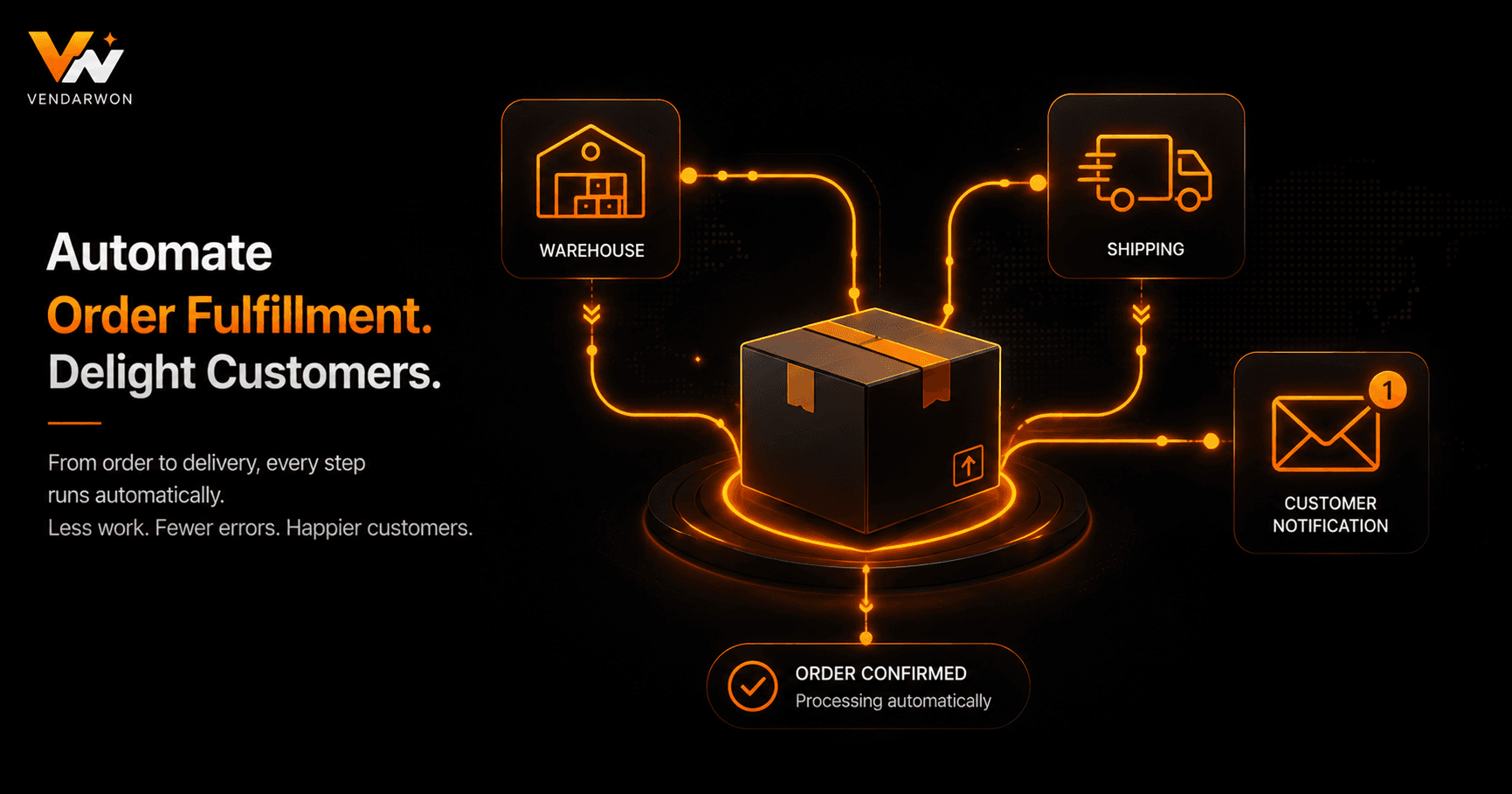
Every e-commerce order triggers a cascade of tasks: confirm payment, check inventory, generate a packing slip, alert the warehouse, print a shipping label, notify the customer, and update the CRM. Done manually, each order takes 5–15 minutes of administrative work. Done with automation, it takes zero. Here's how to build a fulfillment workflow that handles everything from “Buy Now” to “Delivered” without human intervention.
What Order Fulfillment Automation Actually Covers
Fulfillment automation is not just about printing shipping labels faster. A complete automation covers the entire post-purchase journey: payment confirmation, inventory decrement, warehouse notification, label generation, carrier handoff, tracking number capture, customer notification, and post-delivery follow-up. Each step that requires a human decision point should be identified upfront — everything else is a candidate for automation.
The goal is a workflow where your team's only job is physically picking and packing the item. Every digital task — the emails, the spreadsheet updates, the CRM entries, the Slack alerts — runs automatically the moment a new order event fires.
Setting Up the Order Trigger
The starting point is a webhook from your e-commerce platform. Shopify fires an orders/create webhook the moment a new paid order is placed. WooCommerce has equivalent hooks. Your automation platform receives this payload containing the full order details: customer name, email, shipping address, line items, order value, and payment status.
From this single trigger, you can branch your workflow: high-value orders might route to a different warehouse zone; international orders need a customs documentation step; digital products bypass physical fulfillment entirely and go straight to email delivery. Build these as condition branches off the initial trigger.
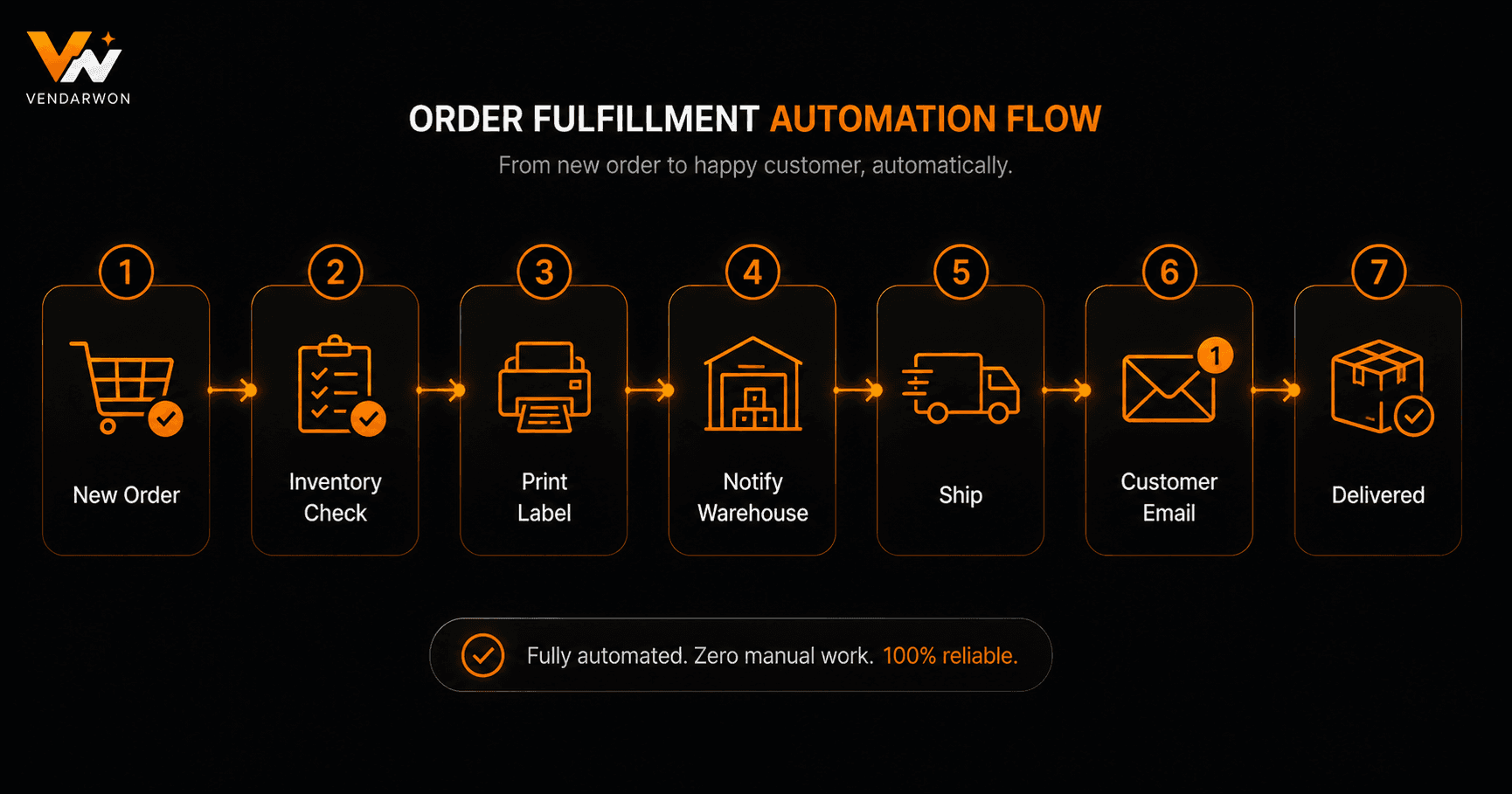
Complete order fulfillment flow: from Shopify webhook trigger through inventory check, warehouse alert, label generation, and customer notifications
Inventory Checks and Warehouse Alerts
Before confirming fulfillment, your workflow should verify inventory availability. This is particularly important for multi-channel sellers — if you sell on Shopify, Amazon, and your own website simultaneously, a sale on one channel may exhaust stock needed for another. Your automation can query inventory levels via API and branch: if stock is available, proceed to fulfillment; if not, alert the team and send the customer an estimated delay notification.
Warehouse alerts can go to Slack, email, or a dedicated warehouse management system. A well-structured Slack message includes the order number, product SKU, quantity, pick location, and shipping deadline — everything the warehouse team needs without them logging into Shopify.
Shipping Label Generation and Carrier Selection
Shipping label generation can be automated via carrier APIs (EasyPost, ShipStation, Shippo) or directly through Shopify Shipping. Your workflow receives the order dimensions, weight, and destination, queries your preferred carrier for rates, selects the appropriate service level based on shipping method chosen at checkout, and generates the label.
For businesses with negotiated carrier rates, this step typically saves both money and time. Rate shopping — comparing multiple carriers per shipment — can reduce shipping costs by 10–20% with zero manual effort when automated.
Customer Notification Sequence
Customers expect proactive communication at every stage. Your automation should trigger three key notifications: order confirmation immediately after purchase, shipping confirmation with tracking number once the label is generated, and a delivery follow-up 24 hours after the carrier marks the package as delivered.
Each notification should include the relevant details dynamically injected from the order data. The shipping confirmation should include the carrier name, tracking number, and a direct link to the tracking page. The delivery follow-up is an opportunity to ask for a review, offer a repeat-purchase discount, or upsell related products — all of which can be personalised based on what the customer bought.
Exception Handling: When Things Go Wrong
No fulfillment system runs perfectly 100% of the time. Your automation needs error branches for: payment that initially appears successful but fails authorisation, address validation failures, carrier API timeouts, and out-of-stock situations. Each exception type should trigger a specific response: an internal Slack alert with the order details, an email to the customer explaining the delay, and a task created in your project management tool for manual resolution.
The worst outcome is a silent failure — an order that falls through the cracks with no notification to anyone. Build error branches explicitly and test them before going live.
Post-Fulfillment: CRM Updates and Reporting
Every completed order should update your customer record. Log the order value, products purchased, and fulfillment date to your CRM. This data powers lifetime value calculations, replenishment reminders (for consumable products), and targeted marketing segments. Vendarwon Flow can simultaneously update HubSpot or Pipedrive, append a row to a Google Sheet for daily sales reporting, and trigger a loyalty points update — all from the same order completion event.
Returns and Refund Automation
Returns are part of fulfillment. A return request should trigger: an automated return authorisation email with instructions, a Slack notification to your operations team, an inventory re-add once the item is received, and a refund initiation once quality is confirmed. Automating the return notification and authorisation alone can eliminate 80% of the manual work involved in handling returns.
FAQ
Do I need a warehouse management system (WMS) to automate fulfillment?
Not necessarily. Many small e-commerce businesses automate fulfillment effectively using just Shopify, a shipping API (like EasyPost or ShipStation), and an automation platform. A full WMS makes sense when you have multiple warehouse locations or complex pick-and-pack rules.
How do I handle fulfillment for digital products differently?
Digital products skip all physical fulfillment steps. Your trigger still fires on order creation, but branches immediately to email delivery of the digital file or access credentials, skipping inventory checks, label generation, and warehouse alerts entirely.
Can I automate fulfillment for Amazon FBA orders too?
Amazon FBA handles physical fulfillment itself. What you can automate is the notification layer — syncing order data to your CRM, updating inventory counts on other channels, and triggering post-purchase email sequences via your own ESP.
What happens if my automation fails mid-order?
Always build error branches and alerts. If a step fails, your workflow should notify a team member immediately via Slack or email with the order details so it can be resolved manually before the customer is affected.